

The Cross-Marketplace: Performance dashboard allows you to view and compare key advertising metrics across all your connected Amazon marketplaces — all in one place. This helps you gain a clear overview of how your ads perform globally, identify trends, and make data-driven decisions faster.
Note: This feature is currently in Beta. Your feedback during this phase is invaluable as we continue improving the dashboard.
Accessing Cross-Marketplace: Performance
Click Dashboards in the left-hand menu
Select Cross-Marketplace (BETA) → Marketplace Performance

Using Cross-Marketplace: Performance
Compare Multiple Marketplaces
View all connected marketplaces to identify top-performing regions
Analyze Over Any Timeframe
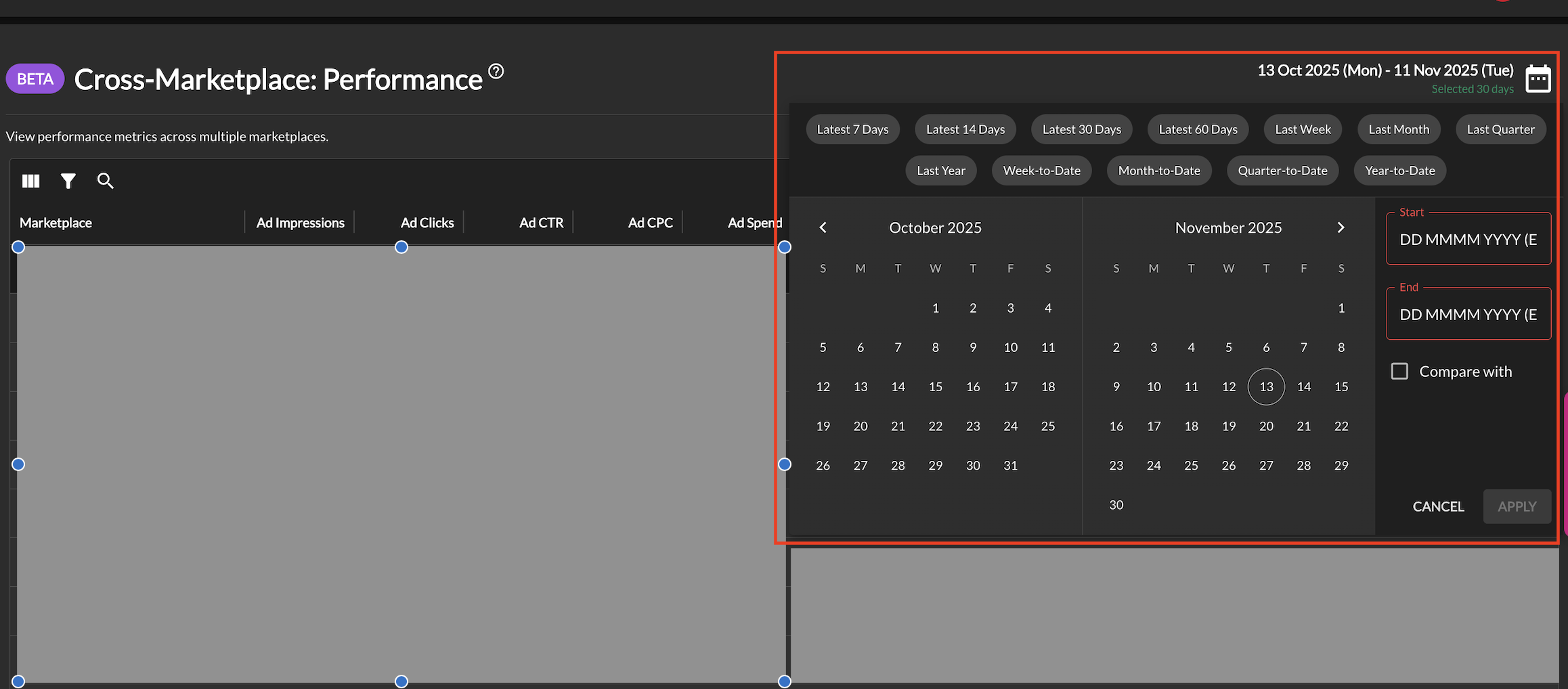
Use the date selector (upper-right corner) to choose custom ranges (e.g., last 7 days, last 30 days)
You can also enable time comparison in the date picker to compare performance between two different time periods — helping you quickly spot performance shifts.
Sort and Filter Metrics
Click column headers to sort by spend, sales, ACOS, or other key metrics
To identify where attention is needed most, sort by ACoS increase to see which marketplaces have higher costs compared to the previous time frame.
Apply filters to focus on specific marketplaces or campaigns
Track Trends and Make Decisions
Hover over charts for detailed metric values
Spot trends across marketplaces to guide campaign adjustments and budget allocation
Tips for Best Use
Use time comparison regularly to understand performance changes between periods.
Export data for deeper analysis or reporting.
Check trends frequently to identify top-performing regions and optimize your strategy
Need Help?
💬 Reach out to our Support Team anytime through the Live Chat bubble in the lower-right corner of the tool.