
The N-Gram Explorer is a powerful analytical tool that breaks down your search term data into individual words and short phrases. While a standard search term report shows you the full string a customer typed, N-gram analysis helps you identify the underlying building blocks—the specific words that drive your performance across hundreds of different search terms.
Accessing the N-Gram Explorer
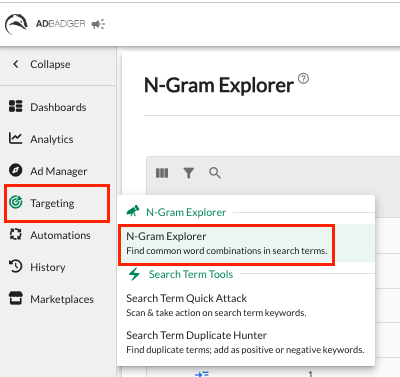
Navigate to the Targeting tab in the left-hand sidebar.
Select N-Gram Explorer from the dropdown menu.
What is an N-Gram?
An "N-gram" is a contiguous sequence of n items from a given sample of text. In the context of Amazon advertising, it refers to the number of words in a phrase:
1-Gram: Single words (e.g., "bike," "stand," "repair").
2-Grams: Two-word combinations (e.g., "bike stand").
3-Grams: Three-word combinations (e.g., "mountain bike stand").
The Explorer allows you to toggle between these views (1-Grams through 5-Grams) using the tabs at the top of the table.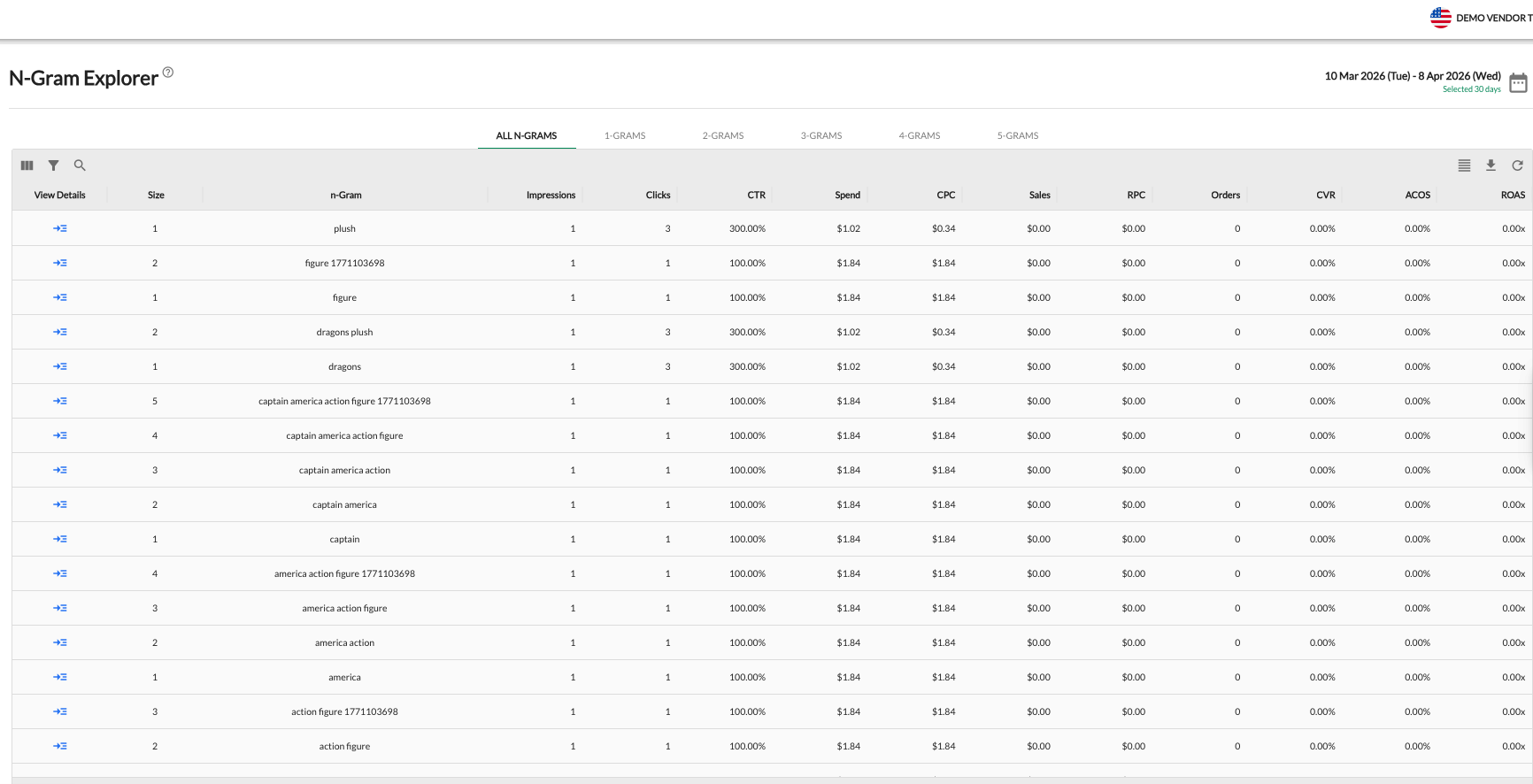
Key Features & Insights
The N-Gram Explorer aggregates data (Impressions, Clicks, Spend, Sales, ACOS, etc.) for every instance a specific word or phrase appears in your search term reports.
1. Identify High-Value Phrases
Use the explorer to find sequences of words that consistently drive high ROAS or low ACOS. If the 2-gram "repair stand" has a significantly higher Conversion Rate (CVR) than the 1-gram "stand," you know that "repair" is a critical qualifying word for your intent-based targeting.
2. Negative Keyword Identification
N-gram analysis is the fastest way to spot "profit bleed." By looking at 1-grams with high spend but zero orders, you can identify irrelevant words that should be added as Negative Phrase matches across your account to prevent wasted spend on hundreds of related search terms.
3. Campaign & Listing Optimization
Refine Ad Copy: Incorporate high-performing N-grams into your headlines and bullet points to better align with customer intent.
SEO Boost: Use the most relevant N-grams to optimize your product titles and backend search terms, improving your organic visibility.
How to Analyze the Data
| Metric | How to Use It |
| Impressions | Shows the overall "reach" of a specific word or phrase. |
| RPC (Revenue Per Click) | Helps you understand the true value of a word; higher RPC indicates a high-intent term. |
| CVR (Conversion Rate) | Identifies which N-grams are most effective at turning "shoppers" into "buyers." |
| ACOS | View the profitability of specific word patterns rather than just individual keywords. |
Strategic Applications
Keyword Discovery: Find common sequences customers use to describe your products that you might have missed in your initial keyword research.
Refine Broad Match: If a Broad match keyword is performing poorly, use the N-Gram Explorer to see which specific word within that Broad match is causing the low ROAS, then negative that specific word.
Scale Winners: Identify 2-gram or 3-gram combinations that are "hidden gems" and promote them to dedicated Exact match keywords in your performance campaigns.
Pro Tip: Start with 1-Grams to identify broad, non-converting words that should be added as negatives. Then, move to 2-Grams and 3-Grams to uncover highly specific, high-performing phrases to double down on for your targeted campaigns.
💬 Need Help?
Reach out to our Support Team anytime through the Live Chat bubble in the lower-right corner of the tool.