
The Never-Negatives tool acts as a "safety vault" for your most important keywords. It ensures that specific terms are never added as negative keywords by your Negative Nightly Hunt automations, even if those terms temporarily meet the criteria of your rules (such as a sudden spike in ACOS).
Accessing Never-Negatives
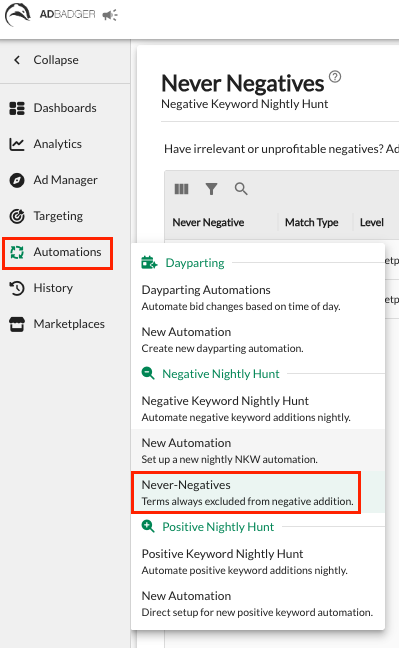
Navigate to the Automations tab in the left-hand sidebar.
Select Never-Negatives from the dropdown menu.
Creating a Never-Negative Rule
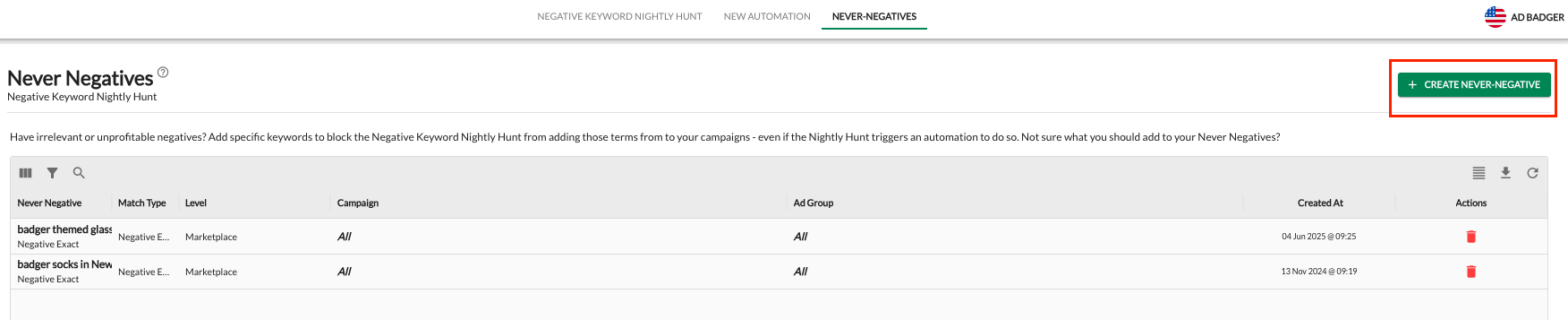
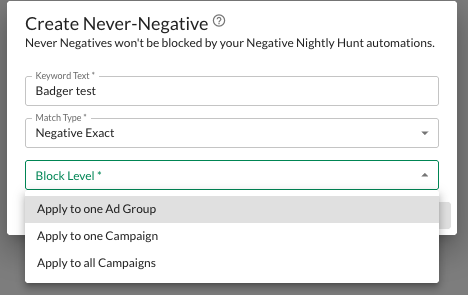
To protect a keyword, click the green + Create Never-Negative button in the top right corner. You will need to configure the following:
1. Keyword Text
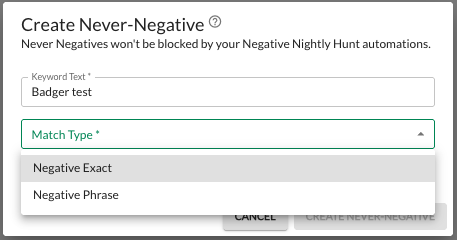
Enter the specific word or phrase you want to protect from being automated into a negative.
2. Match Type
Choose the match type for your protection rule:
Negative Exact: Protects that specific phrase only.
Negative Phrase: Protects that phrase and any search terms containing that phrase.
3. Block Level (Where should this apply?)
You can control the scope of your protection at three different levels:
Apply to all Campaigns (Marketplace Level): This protects the keyword across your entire account. It will never be negatived anywhere.
Apply to one Campaign: Restricts protection to a single, specific campaign. You will be prompted to choose the campaign from a dropdown menu.
Apply to one Ad Group: The most granular level. This protects the keyword only within a specific ad group of a specific campaign.
Managing Your List
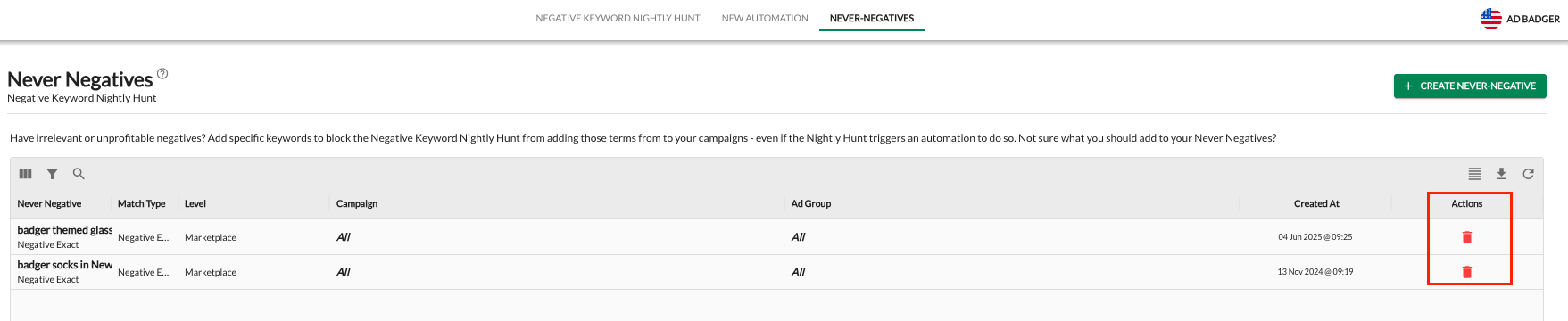
The Never-Negatives dashboard provides a clear overview of your protected terms:
View Active Protections: See which keywords are currently exempt from automations, their match types, and their block levels.
Filter & Search: Use the search bar to quickly find a specific protected term.
Remove Protection: If you no longer need to protect a term, click the Trash Can icon under the "Actions" column to delete the rule.
Why Use Never-Negatives?
Protect Specific Keywords: This tool serves as a permanent override for your automation. It guarantees that even if a critical term experiences a temporary performance dip (like a sudden spike in ACOS), the Negative Nightly Hunt will be blocked from adding it as a negative.
Preserve Brand Terms: Ensure your brand name or flagship product names are never accidentally removed by automation.
Defend "Halo" Keywords: Some keywords might have a high ACOS but drive significant organic sales or brand awareness. Never-Negatives keeps these active.
Seasonal Grace Periods: If a top-performing keyword has a rough week due to seasonality, you can protect it to prevent the Negative Nightly Hunt from cutting it while you wait for performance to normalize.
Peace of Mind: Scale your automations aggressively knowing that your "must-have" traffic is permanently safe.
Pro Tip: Before setting up a broad Negative Nightly Hunt, spend a few minutes adding your core brand terms to the Never-Negatives list at the "All Campaigns" level. It’s the best way to "set and forget" your automations with total confidence.
💬 Need Help?
Reach out to our Support Team anytime through the Live Chat bubble in the lower-right corner of the tool.